- Powerful Extras for MODX Revolution »
- SimpleCart
SimpleCart
SimpleCart is a basic e-commerce solution for MODX, including online payments, coupons and more. Maintenance only; no new licenses available for purchase.
SimpleCart is a basic e-commerce solution built for MODX Revolution. It uses standard MODX tools to let you build a fully-functional shop and checkout.
-
Built with MODX, for MODX
SimpleCart works great with existing tools and extras such as FormIt and ContentBlocks. SimpleCart products are managed as custom resources, so you can use extras like getResources, getRelated, and Wayfinder to build the front-end functionality you need. All output can be tweaked through chunks, offering lots of creative freedom.
-
Accept PayPal, Credit Card and more
Start accepting payments right away with our free payment gateways for PayPal, Mollie, Stripe and Authorize.net payment providers through free installable packages. Or use the built in Bank Transfer method to handle payments manually to just use SimpleCart as, well, a cart.
-
Rule-based Taxes Built-in
SimpleCart comes with rule-based taxes, so you can apply Sales Tax or VAT to orders. Set up different tax rates for entire categories or individual products.
-
2 Custom Resource Types
For categories and products, SimpleCart has custom resource types to make managing your products simple. While still resources under the hood, the interface has been focused on the products.
-
Quickly check the Documentation
Not sure what to do or where to get started? The Help button in the top right of the screen will immediately show you the relevant documentation for the tab you have open currently.
Close -
List of Orders
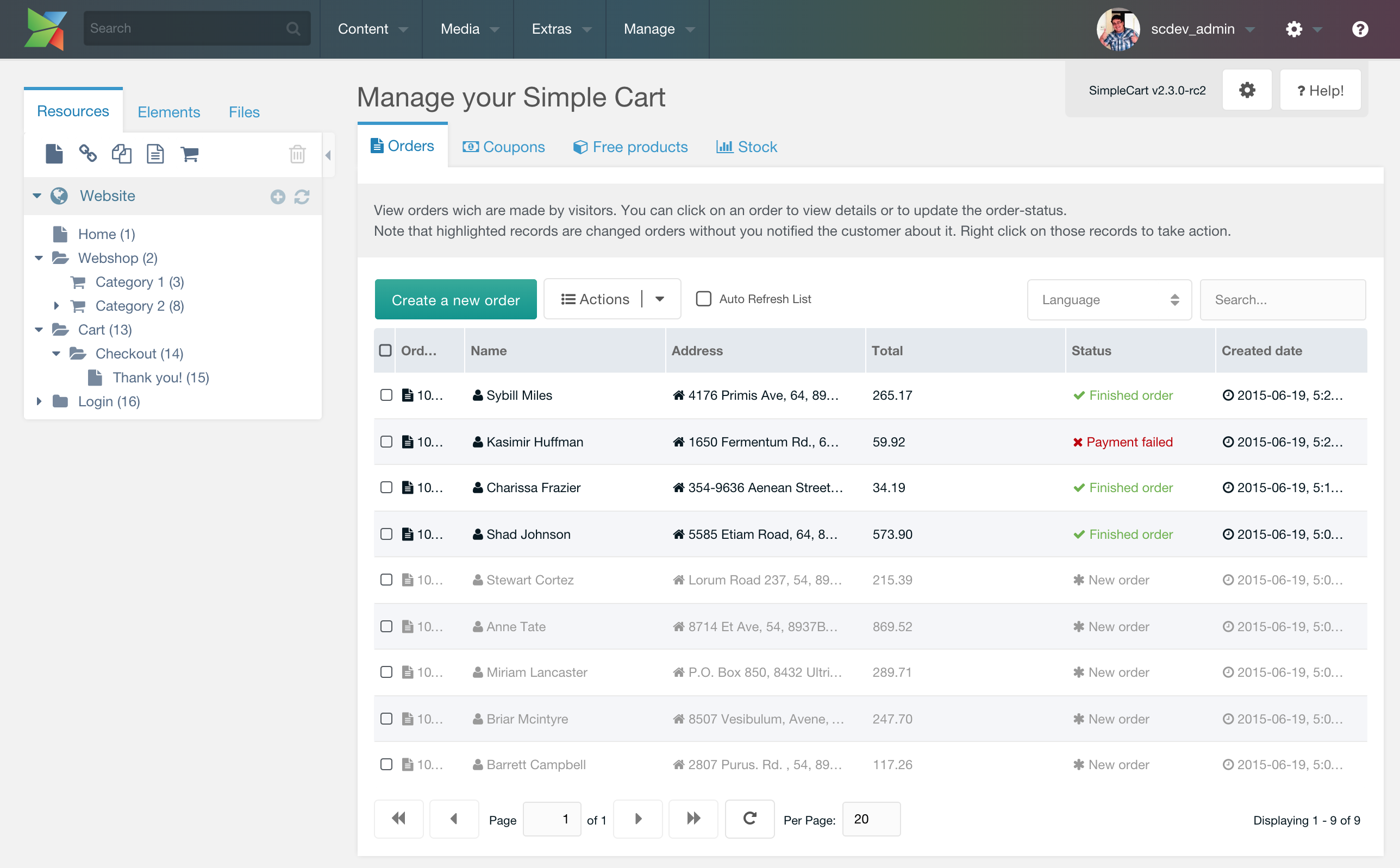
In the main list of orders, you can see the most important information at a glance. The order number, client and their address, the order total, the status and the created date.
This table supports bulk actions, so you can select multiple orders and use the Actions menu to export orders or remove orders.
Close -
Create an Order from the back-end
From the back-end, you can also easily create new orders. Provide the customer information and add products to add it to the list.
Close -
Administrators only!
While you can manage a lot of things in the default view, there are even more options in the administrators panel. This contains things like order statuses, delivery and payment methods and tax rates and rules.
Close
News about SimpleCart
Disclaimer: Viewing non-Euro pricing
You are currently viewing prices in a non-Euro currency. Please be advised that these prices are estimates, based on data by Open Exchange Rates.
While we offer this currency converter hoping our users find it convenient, all purchases are made in Euro, and the final amount charged can vary depending on payment provider, day, time of day and a number of other factors outside of modmore's control. There are no guarantees on accuracy and neither modmore nor Open Exchange Rates can be held liable for errors.
×